


Skillsoft
Skillsoft is a global leader in corporate learning, providing digital training and education solutions to help businesses improve workforce productivity, reduce risk, and increase innovation.

.webp)
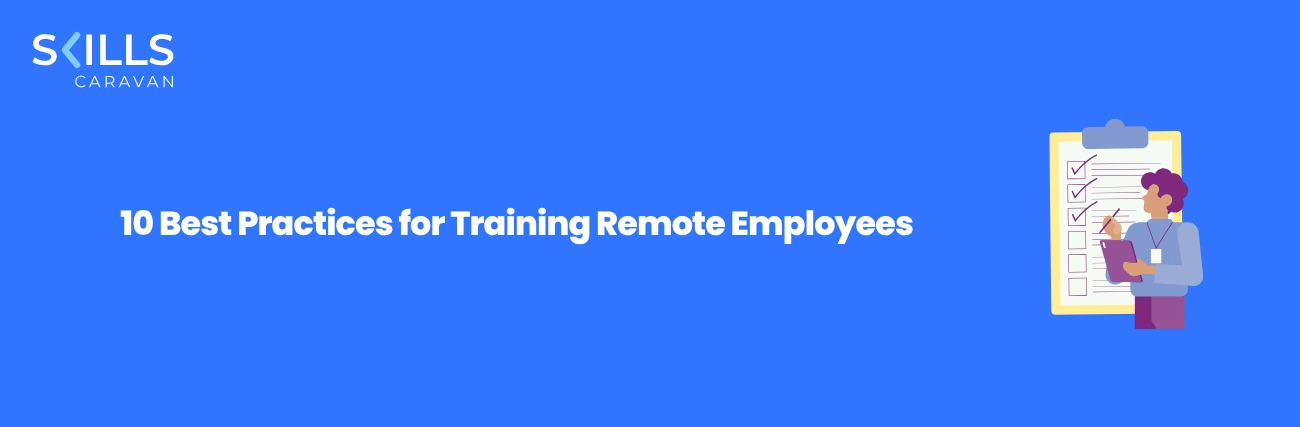
Most remote training fails for the same reason: someone took a course built for a classroom, put it online, and hoped. But the shared room — with its cues, its questions, its social energy — was doing half the work, and online it is simply gone. Training remote employees well is not about moving the old approach to video; it is about rebuilding it for distance, so distributed teams stay engaged, consistent, and genuinely learning. Much of that overlaps with getting virtual onboarding right from day one.
This guide gives ten proven best practices for doing it well — the ones that separate remote learning that works from remote learning that quietly gets ignored.
Design for remote from the start: short, interactive content; clear structure; built-in connection; and the right tools.
Then use data to see the engagement you can no longer read on faces, and keep improving.
The sections below cover why remote is different, the ten best practices, the tools, how to measure success, the checklist, and the mistakes to avoid.
It is tempting to treat remote training as classroom training minus the room. But the room was never neutral — it supplied structure, attention, social energy, and a dozen informal signals that kept learning on track. Take it away, and those have to be rebuilt deliberately, or they simply vanish. Understanding exactly what is lost is the key to replacing it, because every remote best practice is really a way of compensating for something the room used to provide for free.
None of this makes remote worse — in flexibility and reach it is often better. But it means the methods must be redesigned, not relocated. The next section lays out the ten practices that do exactly that.
These ten practices are what separate effective training remote employees from online courses people quietly ignore. Each one rebuilds something distance took away.
Build learning for a distributed audience from the start, rather than recording a classroom session and hoping it lands.
Mix on-demand content people take in their own time with live sessions where interaction and discussion genuinely add value.
Bite-sized modules with quizzes, scenarios, and activities beat long passive videos that lose people to screen fatigue.
Make the path, deadlines, and how to get help obvious, so no one feels lost without a room to orient them.
Use cohorts, peer learning, and discussion so learning feels social, countering the isolation of working alone.
Ensure learning works on any device and across time zones, so access is never the reason someone falls behind.
Give managers the tools and prompts to reinforce learning at a distance; their involvement often drops remotely.
Track participation and completion to spot who is drifting — the signal you can no longer read on faces.
Connect training to actual tasks quickly, so it sticks and feels worth the time rather than abstract.
Ask learners what worked, watch the data, and refine continuously — remote programs get better by iterating.
Run these together, and remote learning becomes a strength, not a compromise. The next section looks at the tools that make them possible.
Good remote training rests on a simple, well-chosen stack. You do not need everything — you need the few tools that make learning easy to access, engaging to use, and visible to measure.
| Tool | What it does | Why distance needs it |
|---|---|---|
| Learning platform (LMS/LXP) | Hosts, delivers, and tracks learning | The hub — access and visibility in one place |
| Video conferencing | Runs live sessions and discussion | Real-time interaction when it matters |
| Collaboration / messaging | Ongoing questions and peer support | Replaces the hallway conversation |
| Content library / authoring | Supplies and creates learning content | Keeps material fresh and relevant |
| Analytics | Shows engagement and completion | The engagement you cannot see in a room |
| Mobile access | Learning on any device | People learn where and when they can |
The platform is the centre of gravity: get that right and the rest slots in. And because engagement is the hardest part at a distance, it pays to understand how training itself drives it — see how employee training improves engagement. The next sections cover measurement and the checklist.
Engagement and measurement are the two hardest parts at a distance — and they are linked, because the data that measures success is also what warns you engagement is slipping. These moves cover both.
Short, interactive, relevant — cut anything that would be a passive lecture, which is where remote attention dies.
Cohorts, peer discussion, and group challenges turn solitary screen time into shared progress and belonging.
Watch completion and engagement data for the first signs of people drifting, and intervene before they disengage fully.
Use assessments and demonstrations to confirm skill gained, not just time logged.
Tie learning to on-the-job outcomes — productivity, quality, time-to-competence — to prove it worked, not just happened.
Make continuous learning a normal, visible part of distributed work — the foundation of a strong learning culture.
Because remote platforms log everything, you often have richer data than a classroom ever gave you — the skill is reading it for real learning, not just activity. The checklist that follows makes it practical.
It is easy to frame remote training as a problem to manage, but done well, it beats the classroom on two counts the classroom could never match: flexibility and personalisation. A room forces everyone through the same content at the same pace at the same time. Distributed, digital learning does not have to — and that freedom, used deliberately, is where remote pulls ahead rather than merely coping.
People learn when they focus best, on the device they have, across time zones — without travel, scheduling gridlock, or pulling everyone off the job at once. Reach and convenience a classroom cannot touch.
Each learner can get content matched to their role and level rather than one-size-fits-all — far easier to deliver digitally than in a single shared room with one pace for everyone.
That second advantage is the bigger one: the ability to tailor learning to the individual is what personalised learning makes possible, and it is where a distributed model genuinely outperforms the room. The checklist that follows turns all of this into practice.
Use this when you are training remote employees so distance becomes a strength, not an excuse. Pass all eight and your distributed learning will hold up.
Tick these and remote learning engages and sticks. A few recurring mistakes still trip teams up — those are next.
Remote training goes wrong in a few predictable ways — almost always by treating it as classroom training relocated. Watch for these.
Recording long classroom sessions and calling it remote training.
Redesign for distance — short, interactive, built for a screen, not a lecture hall.
Ignoring isolation and connection.
Build in cohorts, peers, and discussion so learning is social, not solitary.
Assuming engagement because you cannot see otherwise.
Use participation data to see who is drifting, and act early.
Leaving managers out at a distance.
Equip and prompt managers to reinforce learning; their involvement slips remotely.
Measuring completion and stopping there.
Connect learning to real performance; finishing a module is not the same as gaining a skill.
Avoid these, and remote training delivers reach, flexibility, and results the classroom cannot. The platform that makes it work is the final section.
Doing training remote employees well at scale — engaging, consistent, and measurable across a distributed team — is exactly what an AI-powered, skills-based platform delivers. Here is how Skills Caravan does it.
Bite-sized, mobile-friendly learning that distributed teams can access across locations and time zones without friction.
Learning mapped to each role and level, so remote learners get what matters to them rather than one-size content.
Interactive, social, and gamified elements keep people active — such as gamification that works especially well at a distance.
Analytics show engagement and capability for the whole distributed team, so you can see what is working without being in the room.
Tools and data help managers support and reinforce learning for people they rarely see in person.
The result is remote training that engages and sticks — accessible, personal, and measurable — turning a distributed workforce from a training challenge into a genuine advantage.
See how Skills Caravan delivers personalised, engaging learning on any device and tracks capability across your whole remote team — so distance becomes an advantage, not a limit. Book a live demo.
Book a demo

Zainab is an experienced LearnTech leader with a strong track record of building and scaling digital learning solutions across the Middle East, Africa, APAC, the UK, and the USA. With deep expertise in Generative AI, capability development, and data-driven learning strategies, she has helped organizations modernize their learning ecosystems, enhance employee readiness, and deliver impactful, scalable L&D outcomes. Her work blends innovation with strategic clarity, enabling enterprises to adopt future-ready learning models that drive sustainable growth.



.png)
.png)
.png)
%20(1).png)
.png)


.webp)








Skillsoft is a global leader in corporate learning, providing digital training and education solutions to help businesses improve workforce productivity, reduce risk, and increase innovation.

FinShiksha provides a practical and industry-relevant approach to finance education, with courses designed by industry experts and delivered through interactive and engaging methods.

Wall Street Prep offers best-in-class financial training for aspiring finance professionals and corporate clients.

Udemy Business offers an unparalleled learning experience for organizations looking to upskill their workforce with over 155,000 courses taught by expert instructors.


.webp)


